
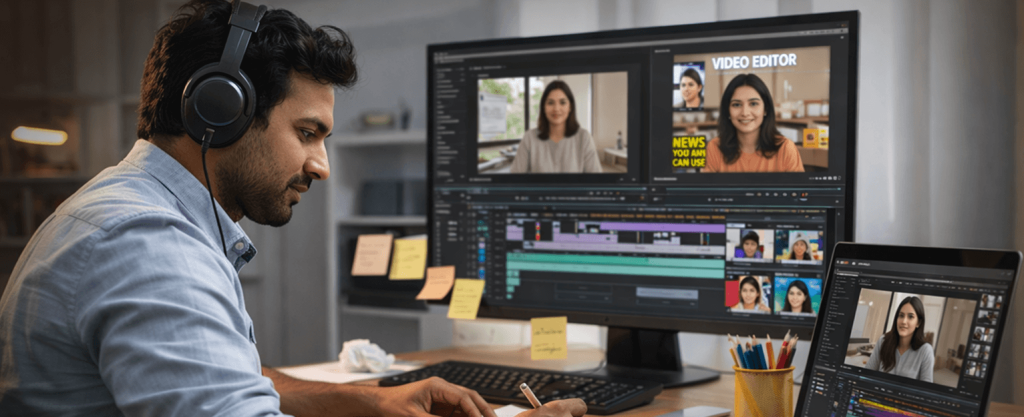
Short‑form reels, long‑form YouTube, or performance Ads – the right video editor turns raw clips into content that actually ships and converts. This guide shows you how to brief clearly, choose the right scope per format, request the correct files (including captions and thumbnails), and run a smooth 2-3 round workflow without last‑minute chaos. You’ll also learn what drives cost (and how to save) and how to secure usage rights for music and stock. When you’re ready, compare portfolios and book a verified video editor on QuickGo.
When to hire a video editor (use cases).
- Social packs: IG Reels/YouTube Shorts, founder clips, product demos, event recaps
- YouTube: Product walkthroughs, case studies, interviews, podcastsunder clips, product demos, event recaps
- Ads: Awareness, app‑install, lead‑gen, remarketing variants.
One page video brief (template).
- Goal (1-2 lines): e.g., drive app installs, bookings, or time on channel.
- Audience: Who, where, and why they care.
- Platforms and ratios: Reels/Shorts (vertical), YouTube (horizontal), Ads (multiple ratios).
- Hook and message: First 2-3 seconds, key points, CTA.
- Footage: What you have (A‑roll/B‑roll/screen captures) + links.
- Brand kit: Logo, fonts, colours, tone, lower‑thirds rules.
- Deliverables: Number/length of videos, captions, thumbnail(s), end card.
- Timeline and rounds: Draft dates, review windows, final deadline.
- Usage: Organic/paid, geos, languages.
- POC: Approver and response times.
Scope by format (what to ask for).
Reels/shorts pack (vertical):
- 5-10 edits; punchy hook, subtitles on screen, jump cuts, light motion graphics.
- Safe framing for UI elements and captions.
- Deliver exports + caption file if needed.
YouTube video (horizontal):
- Cold open, branded intro, chapters, call outs, B roll, lower thirds, end screen.
- Separate thumbnail design variations (A/B test friendly).
- Optional: Podcast/interview cleanup, noise reduction.
Ads (multi ratio):
- 3-6 variants across lengths and aspect ratios.
- Clear CTA, end card, and compliance lines where needed.
- Safe area framing for platform UI.
Files and formats (hand off list).
- Video exports: MP4 (H.264 or similar), frame rate matched to source; high quality masters and platform ready versions.
- Captions: SRT + burnt‑in options for accessibility.
- Audio Balanced levels; separate music/VO stems on request.
- Thumbnails Layered source + PNG/JPG exports.
- Project/source Timeline/project file with assets organized (on request).
Workflow and rounds (friction free).
- R1 - Story cut Structure, pacing, key messages.
- R2 - Design pass Graphics, captions, colours, transitions.
- R3 - Polish Audio mix, grade, fixes, final exports.
Tips: Consolidate feedback into one list per round; approve script/VO text before R1.
Budget drivers (and how to save).
- Drivers : Hours of raw footage, motion graphics complexity, subtitles in multiple languages, colour grade, sound design, stock licensing, VO.
- Save : Provide a tight brief, final copy, brand kit, and references; batch your feedback; shoot clean audio; reuse templates for future edits.
- Payments : Milestone based with scope and round count defined.
Music, stock and rights (no surprises).
- Confirm who licenses music, images, and footage and where you may use them (organic vs. paid, geos, duration).
- Request license files/receipts and keep them with your project.
- Ensure you have rights to your raw footage (model/venue permissions if applicable).
How to book on QuickGo (fast).
- Open QuickGo Pro → search “Video Editor.”
- Filter by city, and format (Reels/YouTube/Ads).
- Compare portfolios, ratings, and availability.
- Share your one‑page brief and confirm deliverables/rounds.
- Book and set milestones.
Frequently Asked Questions
Q1. How many rounds are standard?
Most packages include 2-3 rounds (story → design → polish). Confirm in your scope.
Q2. Can the editor create thumbnails and captions?
Yes – ask for on‑brand thumbnail options and both SRT and burnt‑in captions.
Q3. Do I need to shoot on a fancy camera?
No. Clean audio + steady framing beats 4K without a plan. Your editor can work with phone footage.
Q4. How long should a Reel/Short be?
Keep it tight; focus on a strong hook and one message. Your editor will propose cut lengths that fit your platform.
Q5. Can I repurpose one video for multiple platforms?
Yes – plan for multi‑ratio outputs (vertical/square/horizontal) and platform‑specific hooks.